Unity 6 (6000.0 LTS · HDRP)
HDRP/Lit
Docs verified 2026-11-26
Local render · Unity 6.6 HDRP
Unity HDRP PBR & Skybox Guide
Version-pinned HDRP/Lit Mask Map setup for Unity 6 (6000.0 LTS).

Render video
Unity editor recording
Channel Mapping Reference
Color (Albedo)sRGB ON → Surface Inputs → Base Map
NormalGLTexture Type: Normal Map → Surface Inputs → Normal Map
Mask MapsRGB OFF (Linear) → R: Metallic · G: AO · B: Detail Mask · A: Smoothness (1 - Roughness)
Setup Steps
- Assign Color (sRGB) to Base Map and NormalGL to Normal Map (Texture Type: Normal Map).
- Invert Roughness into Smoothness (1 - Roughness) and pack into the HDRP Mask Map Alpha channel.
- Disable sRGB on the Mask Map so Metallic (R), AO (G), and Smoothness (A) sample linearly.
- Import HDRI EXR files with Texture Shape set to Cube and assign to an HDRI Sky Volume.
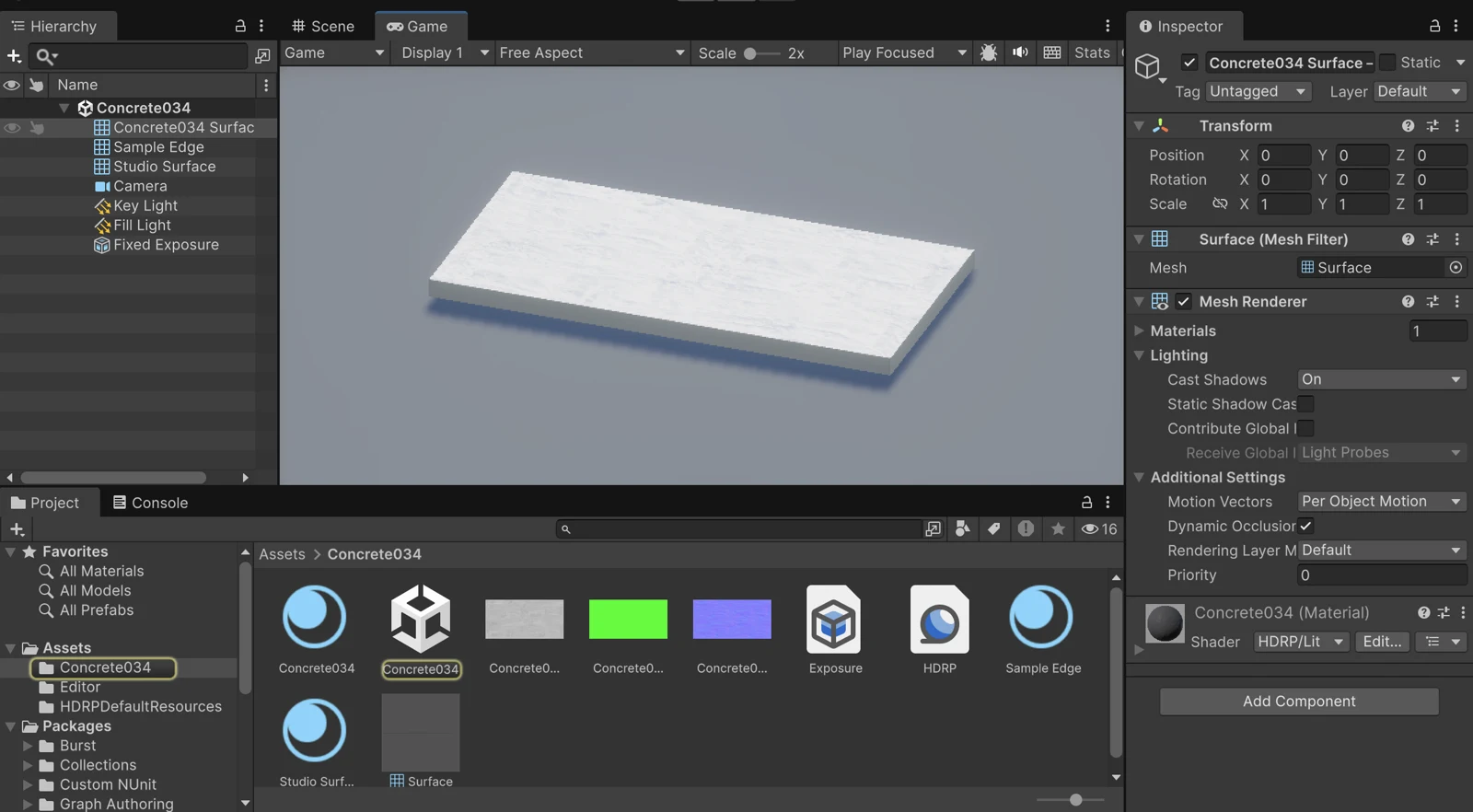
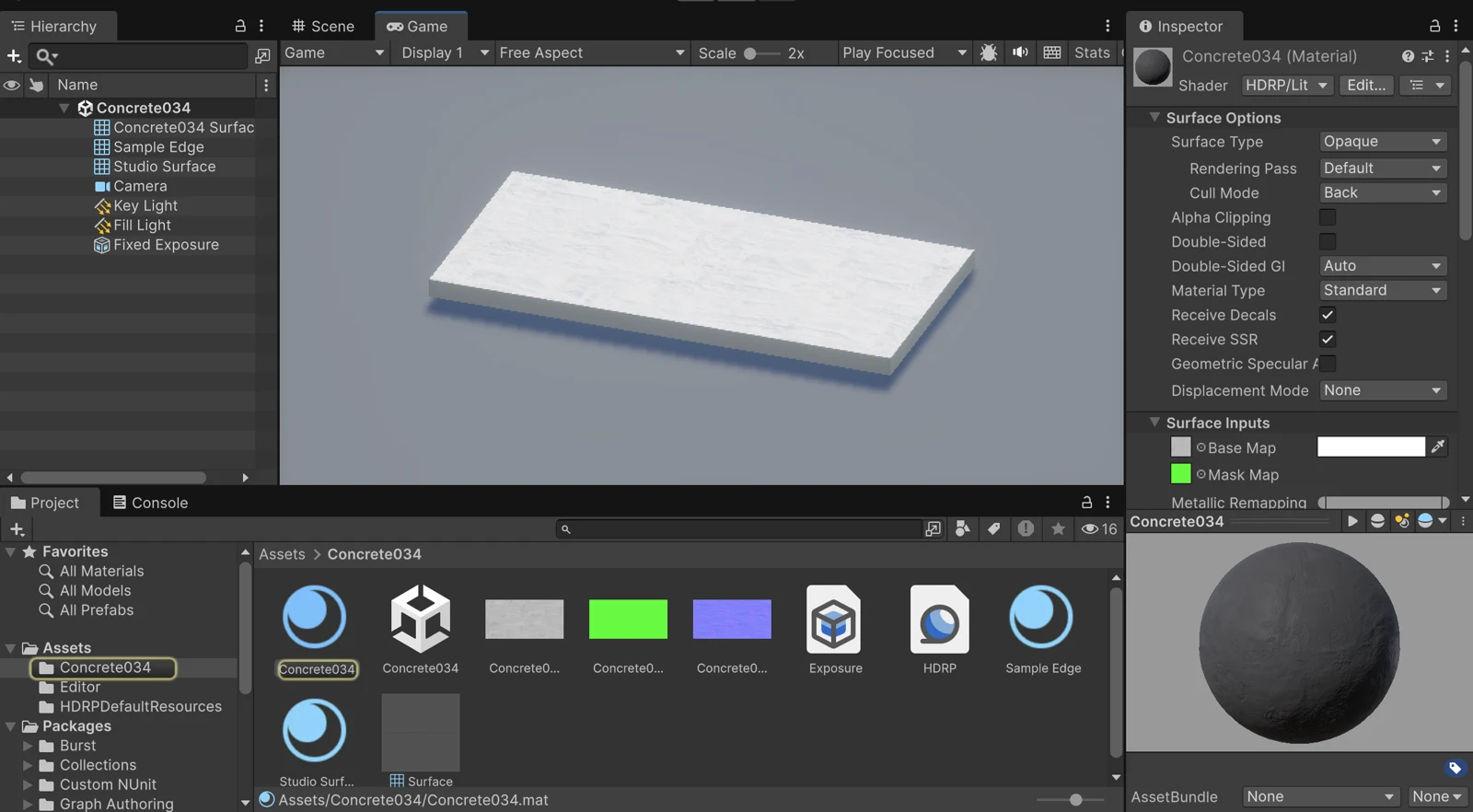
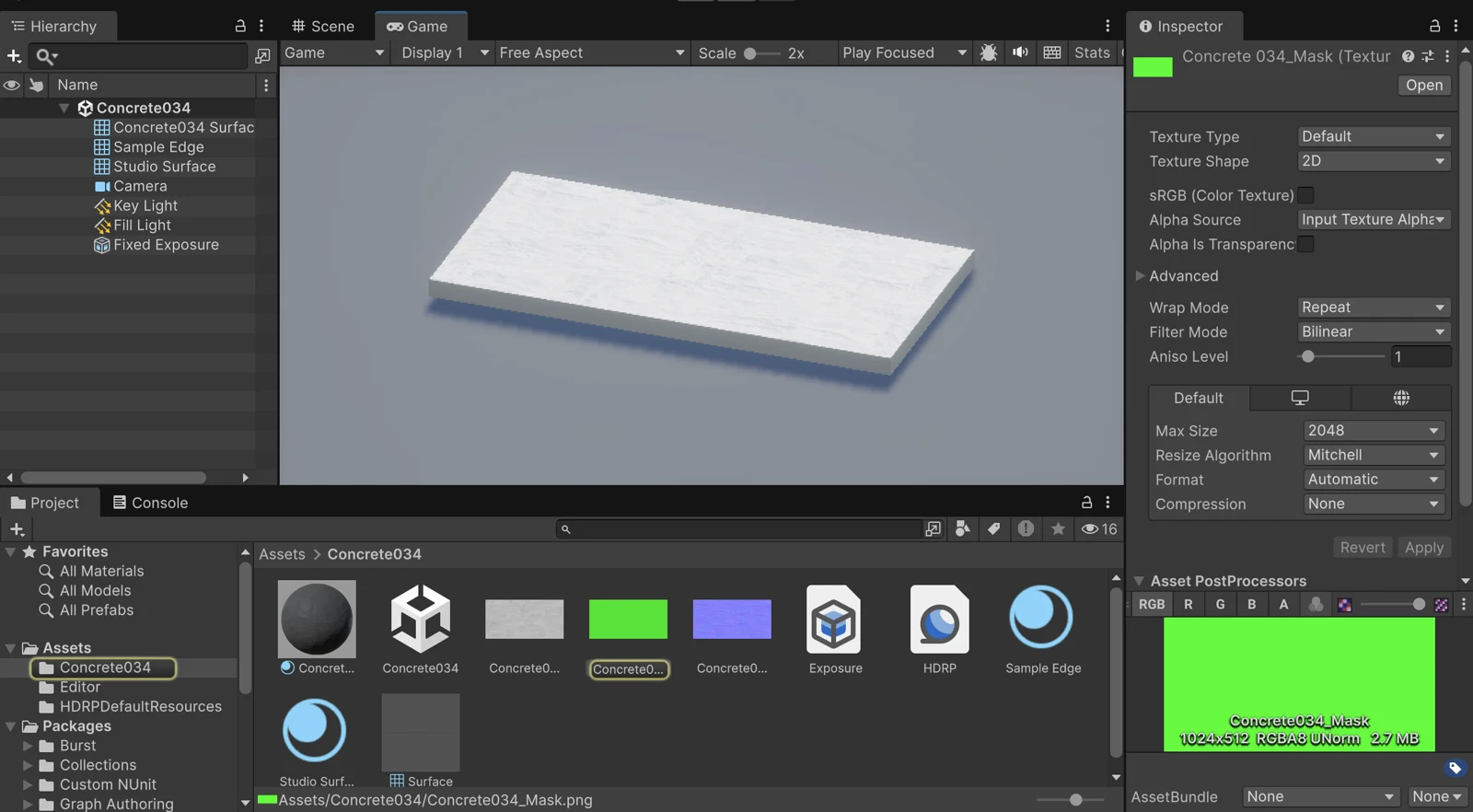
Reproduce the sample
Extract the project ZIP and open it in Unity 6000.6.11f1. Open Assets/Concrete034/Concrete034.unity, then choose TexelGrove → Render Concrete034 Light Sweep to reproduce the 48 frames. The 1.1 × 0.55 m panel uses one UV repeat, with Color, NormalGL, and a linear Mask Map (R=0, G=1, B=0, A=1−roughness). Only the key light moves.
Common errors
Material is pink → confirm the project uses HDRP and the shader is HDRP/Lit. Rough areas look glossy → check that alpha is smoothness, not roughness, and that the Texture Importer retains input alpha. Verify Normal Map import before adjusting normal strength.
Official Documentation Sources